


Why Should Home-Service Businesses Check Their Conversion Tracking?
When a homeowner requests an HVAC estimate, books a plumbing appointment, or contacts a roofing company, your Google Ads account should help identify which advertising campaigns generated that inquiry.
But what happens if a conversion tracking tag fires before someone takes action?
Broad custom-event triggers in Google Tag Manager (GTM) raise an important question: Are your tags recording actual inquiries or unrelated website events?
Accurate conversion measurement helps evaluate advertising performance and return on ad spend. Before changing your setup, verify that reported conversions reflect genuine customer activity.
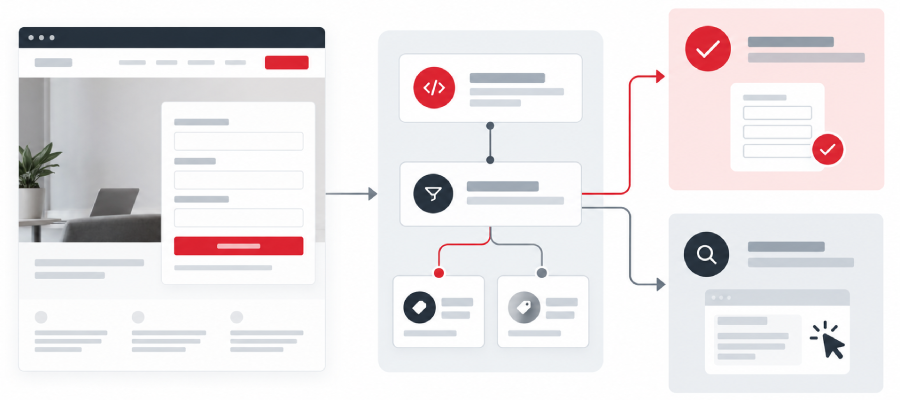
How GTM Configuration Events Can Affect Tracking
Google Tag Manager is a free tool that manages tracking code snippets from platforms such as Google Ads and Google Analytics without requiring website source code changes for every update.
Google's release notes describe GTM containers initializing on load independently of gtag('config') commands. Google tag configuration commands can appear as gtag.config events in the data layer. Some broad custom-event triggers may match these events, so test whether conversion tags fire only on intended actions.
These configuration events do not represent customer inquiries.
The concern is whether broad custom-event triggers match configuration activity and activate a Google Ads conversion tag prematurely. Testing is needed to determine whether a website is affected.
Why Can Wildcard Triggers Affect Google Ads Conversion Tracking?
GTM uses triggers to determine when a tracking tag fires.
For a plumbing website, a custom event should record successful estimate-form submissions. However, a custom-event
trigger using the regular expression .* can match any event name, including gtag.config,
because the pattern allows any sequence of characters. This does not automatically mean the conversion tag will fire
incorrectly. The trigger's other conditions must also be checked to determine whether configuration events can
activate the tag before a customer submits a form.
If that happens, the website conversion tag may fire before a customer submits the form.
Does Every Broad Trigger Cause a Problem?
No. A condition such as “Page Path contains /” does not establish an error by itself.
The outcome depends on the event name, complete trigger conditions, and website behavior. Only triggers confirmed through testing to match unintended events should be changed.
How Can Incorrect Conversion Measurement Affect Smart Bidding?
Google Ads uses conversion information to evaluate performance and support automated bidding strategies.
If an unintended event reaches Google Ads and is used for bidding, optimization may receive a false signal. Check campaign goals and primary or secondary settings; secondary actions in custom goals can also influence bidding.
However, incorrect reporting does not automatically prove wasted spending. Confirm whether the tag fired incorrectly, Google Ads counted the event, and the conversion action is included in campaign optimization.
What Happens When a Plumbing Company Records an Extra Conversion?
Imagine a plumbing company advertising emergency leak repairs.
A homeowner clicks an ad and submits an estimate request. The office receives one legitimate inquiry.
Now imagine a broad custom-event trigger also fires the Google Ads conversion tag during page configuration.
The platform might receive an additional conversion signal even though the homeowner submitted only one form.
This hypothetical example illustrates why businesses should compare form records, GTM events, and Google Ads tracking data before concluding that duplicate conversions occurred.
How to Audit Google Tag Manager Conversion Tracking
Google's Tag Assistant and GTM Preview mode allow technical teams to inspect tag behavior before publishing changes.
1. Identify the Intended Conversion
Define what should count, such as successful estimate forms, qualified calls, or confirmed appointments. Separate these from page views and unrelated Google Analytics key events.
2. Check the Published GTM Container Version
Open the correct Google Tag Manager container and identify the currently published version under Versions. Preview that version through Tag Assistant to check live tracking behavior. Unlike workspace Preview, which may include unpublished changes, this helps verify the published configuration.
3. Review Events Before Submitting a Form
Load the page without taking action. Inspect initialization and configuration events, premature tag firing, and JavaScript errors.
4. Perform a Test Conversion
Submit a clearly identified test form. Confirm the tag fires after successful submission, then test an incomplete form and a page reload to check for premature or duplicate firing.
5. Inspect the Google Ads Conversion Tag
Review trigger conditions, event parameters, and relevant data layer variables.
For a manually configured Google Ads Conversion Tracking tag, verify that the conversion ID and conversion label match the intended action.
Check conversion value, currency code, and transaction ID where applicable.
6. Check Conversion Linking and Attribution
Review whether the Google tag or Conversion Linker supports your attribution needs.
A Conversion Linker can detect ad click information and store it in first-party cookies and browser local storage. A separate linker is unnecessary when a suitable Google tag or Destination tag for that destination loads on every page.
Check cross-domain tracking if customers move between domains before converting.
7. Verify Results in Google Ads
Review the conversion category, counting method, status, primary or secondary designation, and campaign goals. For lead generation, check whether counting one conversion per ad interaction fits the action.
Compare reported conversions with actual inquiries. Where the website generates a unique transaction ID for each completed action, verify that it is passed consistently to Google Ads to help prevent duplicate reporting. This does not replace correcting a trigger that fires on an unintended event.
Allow for reporting delays. Tag Assistant confirms tag behavior, not every downstream reporting outcome.
How Should You Fix Wildcard Triggers?
A developer may narrow the custom-event name, add a reliable data layer condition, or adjust when the website sends a successful form event.
An exact confirmation-page trigger may work for websites using dedicated confirmation pages. Forms that submit without reloading may require verified form-success events instead.
After making changes, follow Google's verification and publishing guidance. Test before publishing and confirm legitimate conversions still register.
Should You Review Enhanced Conversions and Server-Side Tracking?
Enhanced conversions supplement existing Google Ads conversion measurement with hashed first-party information, such as email addresses, to improve matching.
Businesses must follow Google's customer-data policies and applicable consent requirements. A user-provided data variable may help supply eligible information, depending on the setup.
Server-side tagging routes eligible measurement requests through a server container rather than relying entirely on browser execution.
It can centralize data handling but does not guarantee faster websites or complete protection against data loss.
Neither approach automatically fixes a wildcard-trigger problem.
How to Investigate Changes in Google Ads Data
Compare conversion volume and rates across similar periods, accounting for reporting delays, traffic, budgets, and demand.
Use conversion-time reporting and matching dates and time zones when comparing Google Ads conversions with corresponding Google Ads-attributed inquiries. Standard reporting may assign conversions to the earlier ad-interaction date. See Google's conversion reporting guidance.
Review results by conversion action and compare them with actual forms, calls, and appointments. Check counting methods, attribution settings, and possible duplicates.
Investigate unexplained increases, but confirm repeatable discrepancies before attributing changes to GTM or adjusting bidding settings.
How ADM Can Help Review Conversion Tracking
Activate Digital Media helps home-service businesses evaluate whether advertising reports reflect meaningful customer actions.
Depending on account access and agreed scope, ADM can review available conversion data, coordinate technical testing, and compare reported results with actual leads.
Through its Call & Form Tracking Services, ADM helps businesses understand which marketing channels generate calls and inquiries.
ADM's PPC Services also support campaign management and performance evaluation.
Conversion Tracking Review for Better Campaign Insights
Are your Google Ads campaigns recording genuine customer inquiries, or could your tracking setup need attention?
Activate Digital Media can help review available conversion data, identify areas requiring technical testing, and recommend next steps.
Request a Conversion Tracking Review from ADM through our contact form. Enter your website and add “conversion tracking review,” along with your concern, in the Goals / notes field. Our team will confirm the scope and access needed for technical testing.
Frequently Asked Questions
No. Certain custom-event configurations may create a risk of unintended tag firing. Testing is needed to determine whether a website is affected.
No. Review the complete trigger conditions and confirm unintended firing before making changes.
Potentially. The impact depends on whether incorrect events reach Google Ads and are included in the conversion goals used for optimization.
Not necessarily. These are separate measurement options that may be appropriate for particular tracking needs. Neither replaces verification of existing conversion tags.
Not solely because of a platform update. Confirm the tracking issue and its reporting impact before considering campaign changes.
Ready to Grow Your Business?
Contact us to work with a result-driven digital marketing agency. Are you ready to take your business and online marketing to the next level.
Get Your Free Marketing Plan →