


Google’s AI-generated review summaries can bring positive customer feedback into eligible Search ads, but advertisers cannot choose the text or guarantee that a summary will appear. Here’s what home-service businesses should know about eligibility, store ratings, and ethical review management.
Why Reviews Matter More in Google Ads
Customer reviews have long helped homeowners compare service providers through Google Business Profiles and local search results. Now, Google reviews in ads are playing a bigger role in how people evaluate businesses before clicking.
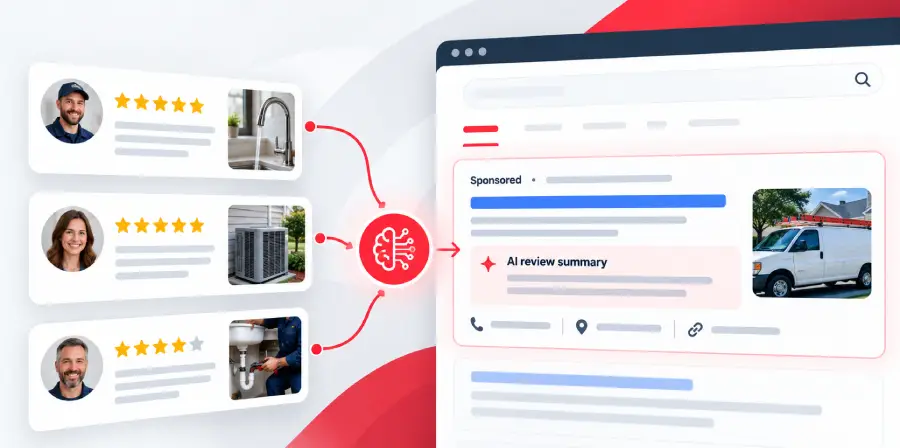
Google now documents AI-generated review summaries that highlight positive customer feedback within eligible Search ads. These summaries are powered by Google's AI and draw on reviews rather than advertiser-written copy.
For HVAC, plumbing, roofing, and other home-service businesses, reviews can help build trust and reduce the uncertainty people feel when choosing an unfamiliar brand. Negative reviews, meanwhile, may encourage potential customers to consider competitors.
As reviews become more visible in paid search, maintaining authentic customer feedback is increasingly important. However, businesses cannot decide which review themes Google highlights or guarantee that a particular review will appear.
What Are AI Review Summaries in Google Ads?
AI-generated review summaries are short descriptions of customer experiences that may appear within eligible Google Search ads.
According to Google's About Review Summaries documentation, the feature uses AI to summarize positive feedback from reviews across the web.
For example, if customers frequently praise a plumbing company's punctuality and communication, Google may summarize those themes in an ad. This is an illustrative example, not a guarantee that those comments will appear.
How AI Review Summaries Work
Three distinctions matter:
- Google creates the text automatically: Advertisers cannot directly edit or customize the summarized feedback.
- Reviews come from across the web: Google does not identify every review platform used to generate summaries.
- Display is selective: Google decides when a summary is predicted to benefit ad performance.
Unlike static ad copy written by an advertiser, these summaries reflect customer experiences interpreted by Google's AI.
AI Review Summary Eligibility in Google Ads
Google documents AI review summaries for eligible Search campaigns under specific conditions.
| Requirement | Documented Availability |
|---|---|
| Campaign type | Search campaigns |
| Placement | All ad positions on Google.com |
| Language and markets | English-language ads in the US, Australia, UK, and India |
| Devices | All supported devices |
| Business categories | All advertiser categories except sensitive categories, such as pharmaceuticals |
Eligibility does not guarantee that a summary will appear. Google determines when to display one based on predicted ad performance.
The documentation also does not establish a minimum review count for AI summaries. This is different from the eligibility requirements for store ratings, which use separate criteria.
For advertisers, the important distinction is that AI review summaries are not creative assets they can manually activate or populate with preferred testimonials.
Can Advertisers Control AI Review Summaries?
Advertisers cannot directly edit Google's AI-generated review summaries or choose which customer comments appear.
The summaries highlight positive feedback, but this does not mean businesses should ignore negative reviews. A potential customer may still read critical feedback on a Google Business Profile or another review page before contacting a company.
For example, a homeowner comparing roofing contractors may view an ad, read its review summary, and then check the business's full review history before requesting an estimate.
Businesses should focus on providing consistent service, responding professionally to feedback, and keeping their online information accurate rather than trying to control Google's generated text.
Other Review Features in Google Search Ads
AI review summaries are not the only development bringing customer feedback closer to paid search results.
An October 2026 report from Search Engine Roundtable described an observed Search ad test featuring a scrolling display of ratings, reviews, visit counts, and a website link.
The format was reported as an experiment, not a confirmed feature available to all advertisers.
AI Review Summaries vs. Store Ratings
Businesses may also encounter Google's established store ratings, historically called Seller Ratings.
These can display a star rating alongside eligible Search ads, helping users identify highly rated advertisers. They are separate from AI review summaries and the reported scrolling experiment.
Google's store ratings documentation explains that text ads generally require a composite rating of at least 3.5 stars, sufficient eligible reviews from the past 24 months, and a visible URL domain that matches the rated domain. Most merchants reach the review threshold with approximately 100 eligible reviews, although requirements vary.
Store ratings are primarily associated with merchant and post-purchase experiences. Home-service businesses should not assume that their Google Business Profile reviews automatically qualify them for this feature.
Positive ratings may encourage people to consider an advertiser, but the presence of stars does not guarantee higher click-through rates or more conversions.
Google's documented AI review summaries already allow customer feedback to appear within eligible Search ads. The separate scrolling ratings-and-reviews format remains a reported experiment, with no confirmed broader rollout. Neither format guarantees improved campaign performance.
How to Build a Consistent Review Routine
Businesses cannot directly control Google's AI summaries, but they can improve how consistently they collect and manage genuine customer feedback.
A practical review routine makes it easier for customers to share experiences and helps businesses make informed decisions about service quality.
- Request Reviews After Completed Jobs: Invite customers to leave honest feedback after a service appointment. Include a direct review link in a follow-up message or email.
- Ask Customers for Honest Feedback: Invite feedback without selecting customers based on expected ratings. Do not offer incentives, pressure customers, or request specific review content. Reviews should reflect genuine customer experiences.
- Respond to Positive and Negative Reviews: Thank customers for feedback and address concerns professionally. A thoughtful response can help other users understand how the business handles service issues.
- Review Feedback for Recurring Themes: Look for patterns involving appointment scheduling, technician communication, and service quality. Use this information to identify areas that may need attention.
- Keep Business Information Current: Maintain accurate Google Business Profile information and regularly monitor customer reviews. Respond to feedback professionally, address recurring concerns, and use ADM's Google Business Profile Services to support consistent review management and online reputation.
- Monitor Review Activity Monthly: Set aside time each month to read recent feedback, respond where appropriate, and investigate missing reviews.
A consistent process is more useful than collecting reviews solely to qualify for an advertising feature.
For businesses experiencing missing review issues, explore ADM's Missing Google Reviews Recovery service.
Help More Local Customers Find and Trust Your Business
ADM can review your Google Business Profile, how you request and respond to customer feedback, and the review-related advertising options relevant to your business.
We help you identify what needs attention and which steps to prioritize, reducing the time you spend interpreting Google updates yourself.
Request a Google Business Profile and reputation review from ADM. In the contact form’s “Goals / notes” field, ask for this review and include your website and Google Business Profile link.
Frequently Asked Questions
Google's AI review summaries draw on reviews from across the web, not necessarily from Google Business Profiles alone. However, Google does not identify every platform used. Businesses should monitor feedback across relevant review websites.
A practical time is shortly after a completed service, while the experience is still fresh. Businesses can include a review link in a follow-up email or text message without suggesting a preferred rating.
Start by reviewing the customer's concerns and responding professionally. If the review violates Google's content policies, the business can report it through Google Business Profile. Disagreement with a customer's opinion alone does not guarantee removal.
Responding to older reviews can be worthwhile when they contain unresolved concerns or relevant questions. Prioritize recent feedback first, then address older reviews where a response would still help customers.
Track new reviews, recurring feedback themes, response consistency, and customer concerns. Compare these observations with inquiries and lead quality, but avoid assuming that review activity directly caused changes in Google Ads results.
Ready to Grow Your Business?
Contact us to work with a result-driven digital marketing agency. Are you ready to take your business and online marketing to the next level.
Get Your Free Marketing Plan →