


How Invalid Clicks Can Affect Your Google Ads Budget
Imagine your Google Ads report shows 150 clicks this week, but your plumbing company received only three calls. Are fake clicks wasting your budget, or are potential customers leaving without contacting you?
Google has systems to identify invalid traffic, but advertising reports and customer inquiries tell different parts of the story. Understanding both can help home service businesses identify what's affecting their advertising results.
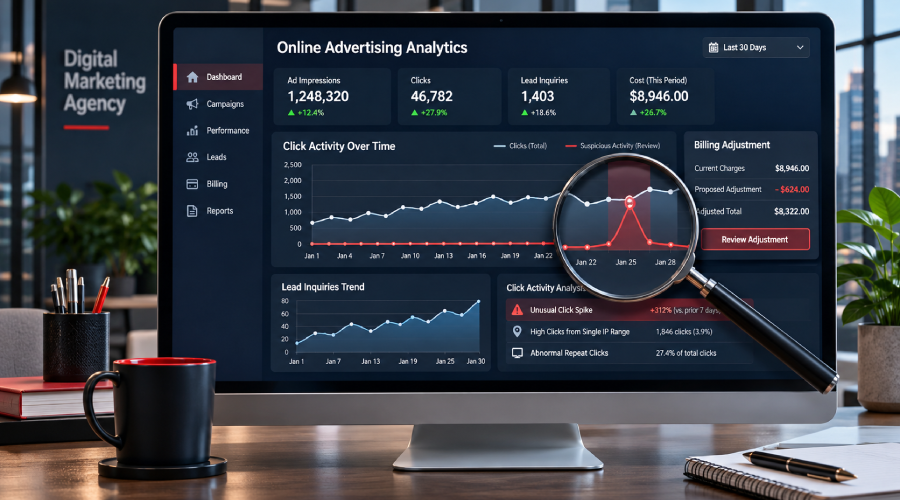
Why Not Every Google Ads Click Becomes a Lead
A paid click means someone interacted with your ad. It doesn't necessarily mean they're ready to schedule service.
A homeowner comparing roof replacement prices may click your ad without requesting an estimate. Another homeowner with an active roof leak may call immediately. Both clicks can be legitimate, even though only one generates a lead.
Other interactions may be invalid because they don't reflect genuine interest. The challenge is distinguishing ordinary customer behavior from activity Google identifies as invalid.
For home service businesses, that means looking beyond click volume and examining what happens after someone visits the website.
What Does Google Consider Invalid Traffic?
According to Google Ads Help, invalid traffic includes clicks and other interactions that don't represent genuine interest in an advertised business.
Examples include:
- Bot traffic: Automated software generates clicks without genuine customer interest.
- Accidental clicks: Someone unintentionally taps an ad while browsing on a mobile device.
- Artificial repeat clicks: Repeated interactions are generated to increase advertising costs.
- Other fraudulent activity: Coordinated attempts manipulate advertising interactions rather than reflect genuine customer interest.
Some sophisticated invalid traffic can resemble normal browsing activity. However, an unfamiliar IP address, an unusual browsing time, or a visitor leaving without calling doesn't automatically prove click fraud.
Likewise, spam form submissions don't necessarily mean the associated ad clicks were invalid.
Does Google Charge for Invalid Clicks?
Google automatically filters invalid clicks identified before billing so advertisers are not charged for those interactions. Advertisers can add the Invalid clicks column to their Google Ads campaign reports to see activity Google's systems have filtered.
When invalid activity is detected after the billing cycle closes, Google may issue an account credit. These credits appear as billing adjustments rather than direct refunds to a bank account.
The number of filtered invalid clicks and the amount credited may differ because they represent activity detected at different stages of the billing process.
Where Can You Find Invalid Traffic Credits?
To review filtered clicks in Google Ads:
- Open Campaigns and select the relevant campaign.
- Click the Columns icon and choose Modify columns.
- Find Invalid clicks and add the metric to your reporting table.
To review credits, go to Billing → Summary, select the relevant month, and expand Adjustments to look for invalid activity entries.
For Search and Performance Max campaigns, open Report Editor and select "Invalid Activity Credit Report: Search & PMax" from the Template gallery to review credited activity and adjusted performance.
Google also offers an Invalid traffic card on the Campaigns Overview page, although availability may vary by account.
These reports show what Google identified as invalid, but they don't explain why your phone isn't ringing. Compare the findings with actual calls, form submissions, and booked jobs to understand whether the problem involves invalid traffic, targeting, or lead handling.
Why Can Clicks Increase Without More Leads?
Imagine a pest control company noticing a sudden increase in Google Ads clicks. However, its team receives fewer genuine inquiries and several form submissions containing fake names and invalid phone numbers.
During a campaign review, the company also finds a small invalid traffic credit from Google for the same period. While the timing raises concerns, the credit doesn't prove that every spam submission came from an invalid ad click.
The team should check whether the suspicious forms originated from paid ads or other website traffic, review its spam protection, and compare the results with actual calls and booked appointments.
Other possible explanations include:
- Irrelevant searches: Ads appear for keywords unrelated to the pest control services offered.
- Poor landing pages: Visitors can't easily find treatment information or contact details.
- Missed calls: Potential customers call during busy periods or outside business hours.
- Website problems: Broken forms prevent genuine customers from requesting service.
- Tracking gaps: Conversion tracking fails to record legitimate inquiries.
These issues can reduce lead volume without involving fraudulent clicks. Before assuming click fraud is responsible, businesses should compare Google Ads reports with actual customer inquiries and investigate potential problems with targeting, website performance, or lead handling.
Four Checks to Make This Week
Home service businesses can take four practical steps to better understand their Google Ads performance.
- Check how many clicks Google filtered. Review the Invalid clicks metric for affected campaigns and dates. Look for unusual changes without assuming every suspicious click was fraudulent.
- See whether Google issued credits. Examine billing adjustments and compare them with the period being investigated. Remember that filtered clicks and post-billing credits represent different reporting stages.
- Compare ad clicks with calls and booked jobs. Review phone calls, form submissions, qualified leads, and scheduled appointments. Check whether tracking accurately records customer inquiries.
- Record unusual activity for investigation. Document relevant dates, campaigns, and suspicious patterns. Ask your advertising manager whether a Google investigation is appropriate. Google's invalid traffic investigation process covers activity from the previous 60 days.
These checks can help distinguish potentially invalid traffic from issues involving campaign targeting, website performance, or missed customer inquiries.
Get a Clearer View of Your Google Ads Leads
Are suspicious clicks affecting your Google Ads budget and lead quality?
With our Google Ads management services, we can review invalid traffic reports, billing credits, and lead records to identify areas needing attention.
Talk to our team about your Google Ads traffic and lead quality. Share your website and concern through our contact form. We'll confirm the scope and account access needed before reviewing your campaign data.
Frequently Asked Questions
No. Google applies eligible invalid activity credits to your Google Ads account rather than issuing a direct bank refund. You can find these adjustments in your billing summary.
Google filters many invalid clicks before billing, so those interactions do not require credits. Billing credits generally apply to eligible invalid activity identified after the billing cycle closes.
Google's invalid-ad-traffic detection is not a substitute for website form spam controls. Businesses should investigate suspicious submissions and their traffic sources separately.
Google generally does not disclose whether specific clicks were classified as valid or invalid because revealing detection details could help bad actors bypass its protections.
Yes. Google accepts investigation requests concerning potentially invalid activity from the previous 60 days. Gather relevant dates, campaign information, and supporting evidence before submitting a request.
Ready to Grow Your Business?
Contact us to work with a result-driven digital marketing agency. Are you ready to take your business and online marketing to the next level.
Get Your Free Marketing Plan →