


Help Customers Find the Right Service
A customer lands on your electrician website with a practical question: can this company handle my project, and how do I contact someone? Your layout should help them answer quickly. The examples below show how service information, credible proof, and clear contact options can work together.
Professional design matters, but the page also needs to reflect how your electrical business operates. Emergency calls, planned installations, and commercial project requests may require different paths. Activate Digital Media’s electrician marketing services connect those paths with broader marketing goals. Use the illustrative layouts below to evaluate your current site or prepare a more useful design brief.
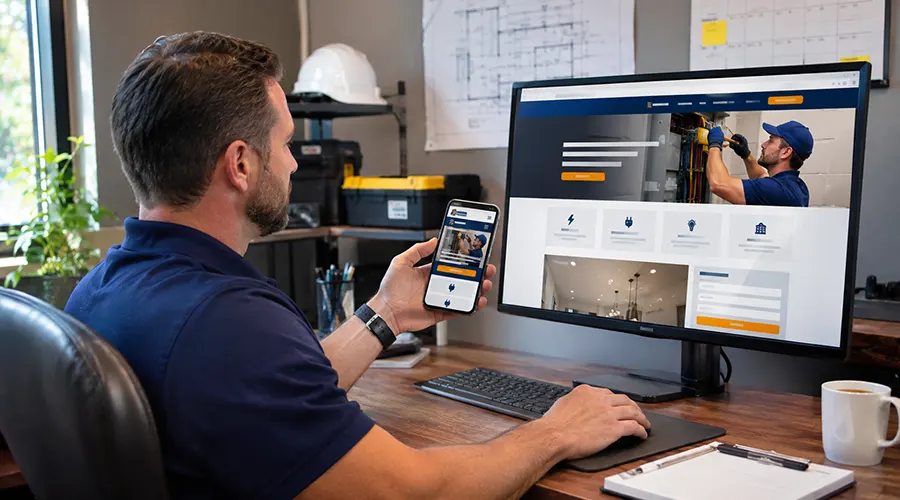
Five Layouts That Support Inquiries
These are illustrative wireframe descriptions, not client screenshots, case studies, or measured conversion results. Adapt them to your actual services, availability, and customer needs.
1. A Homepage That Establishes Fit
The opening section should identify your electrical services, service area, and main contact options.
Example layout:
- A headline naming your core work and location.
- A brief explanation of who you serve.
- A visible tap-to-call number.
- A separate estimate-request button.
- An authentic team or project photo.
Follow with clear routes to residential services, commercial work, or your main specialties.
Place important contact options where mobile visitors can find them easily. If you use a sticky contact bar, check that it does not cover content, form controls, or accessibility features.
Only advertise emergency availability when your team can support it.
2. A Service Page Built Around One Decision
A dedicated EV charger installation page should answer questions relevant to that project.
Example layout:
- What installation services you provide.
- Property types and locations served.
- What an assessment involves.
- Relevant completed work.
- Common questions.
- A clear request-an-assessment action.
Panel upgrades, rewiring, and lighting installation may need their own pages when the customer’s questions differ meaningfully.
Avoid creating a separate page for every slight keyword variation. Dedicated service pages should offer distinct information that helps visitors decide whether to inquire.
3. A Project Gallery With Useful Context
Real project photos can demonstrate the work your business performs. Give visitors enough context to understand each example.
Example project card:
- Project: Lighting installation for a kitchen renovation.
- Scope: Fixture installation and associated electrical work.
- Property: Residential.
- Next step: Explore lighting services.
Use before-and-after photographs only when they accurately represent the work and you have permission. Avoid exposing customer addresses, identifying documents, or private property details.
Place relevant project examples on service pages as well as in the gallery. Visitors should not have to leave the service information to find supporting proof.
4. A Trust Section Close to the Inquiry
Position useful trust signals near the point where customers decide to contact you.
Example layout:
- Accurate licensing and insurance information.
- Genuine customer testimonials with appropriate permission.
- A link to the original review source.
- Real team photographs.
- A brief explanation of the assessment or service process.
Keep claims specific and current. Do not display expired credentials, invented reviews, or project experience your business cannot substantiate.
Reviews can help visitors assess your business, but there is no universal percentage increase in inquiries you should expect from adding them.
5. A Contact Form That Explains What Happens Next
Request enough information to route the inquiry without asking customers to perform a technical assessment.
Useful fields may include:
- Name and preferred contact details.
- Property location.
- Service required.
- A short project description.
Clearly identify required fields and explain errors. W3C recommends properly associated form labels so people can understand and operate the controls.
After submission, show a clear confirmation and accurate response expectations. Do not imply an appointment is booked when the form only sends a request.
Make the Layout Work Across Screen Sizes
A mobile-responsive website needs more than content that shrinks to fit.
Test whether customers can:
- Read service information without zooming.
- Open and close navigation easily.
- Tap buttons without selecting nearby links.
- Complete forms using a keyboard or assistive technology.
- See confirmation and error messages.
- Reach contact options without obstructive pop-ups.
Page speed also deserves attention. Core Web Vitals assess loading, responsiveness, and visual stability, providing useful evidence for investigating the experience.
Compress large photos, review unnecessary scripts, and test real pages on mobile devices. A single performance score does not confirm that the entire inquiry journey works.
Connect Design With Local Search
Use descriptive page titles, clear headings, and internal links that help people and search engines understand your services. Google’s SEO Starter Guide explains these foundational practices.
State your service area accurately and keep business details consistent with your Google Business Profile. Create location-specific content where it offers useful information rather than repeating the same page for every town.
A redesign alone does not guarantee higher search engine rankings. Preserve important existing URLs or plan appropriate redirects when pages move.
Test the Inquiry Path Before Launch
Choose a few realistic tasks: request an EV charger assessment, find commercial services, or call about a repair.
Complete each task on different screen sizes. Check that phone links dial correctly, forms reach the right recipient, and confirmations explain the next step.
Use call and form tracking alongside customer records to assess relevant inquiries and booked work after launch. For a service-page change, compare relevant assessment requests and their qualification rate. For a form change, check successful submissions and receipt. For navigation changes, check whether visitors reach the intended residential or commercial service page. Keep the comparison period and traffic sources consistent.
Measure whether visitors find the right service and complete the intended action. More website traffic alone does not establish that the design supports business goals.
Frequently Asked Questions
These answers can help you decide what to change and how to maintain the finished site.
Not necessarily. Fixing navigation, service information, contact options, or form behavior may address the main problems without a rebuild.
Yes, if it supports your content, accessibility, performance, and contact requirements. Evaluate the finished experience rather than choosing on appearance alone.
Publish prices only when you can explain the scope and conditions accurately. For assessment-dependent work, clarify the estimating process and any applicable fees.
Add them when you have relevant, permission-cleared work to show. Prioritize accuracy and usefulness over a fixed publishing schedule.
Use it when your scheduling process can support the promise. Distinguish a confirmed appointment from a request that still needs office approval.
Design Around the Questions Your Customers Bring
Start with one page where visitors need clearer information or an easier next step. Define what the customer should understand and what should happen after they act.
Explore website design support from Activate Digital Media. We can help connect your service content, page layout, and inquiry process with the electrical work you want to win.
Request your Free Marketing Report from Activate Digital Media to discuss the pages and inquiry steps you want to review.
Ready to Grow Your Business?
Contact us to work with a result-driven digital marketing agency. Are you ready to take your business and online marketing to the next level.
Get Your Free Marketing Plan →