


Check Eligibility Before You Claim
Imagine a homeowner asking ChatGPT to recommend a plumber or HVAC contractor nearby. If your company appears, you want its business name, website, and service areas to be accurate.
ChatGPT Business Hub gives eligible companies a way to claim and manage supported business information. But can every home service business claim a profile, and does verification help it appear more often in recommendations?
What Is ChatGPT Business Hub?
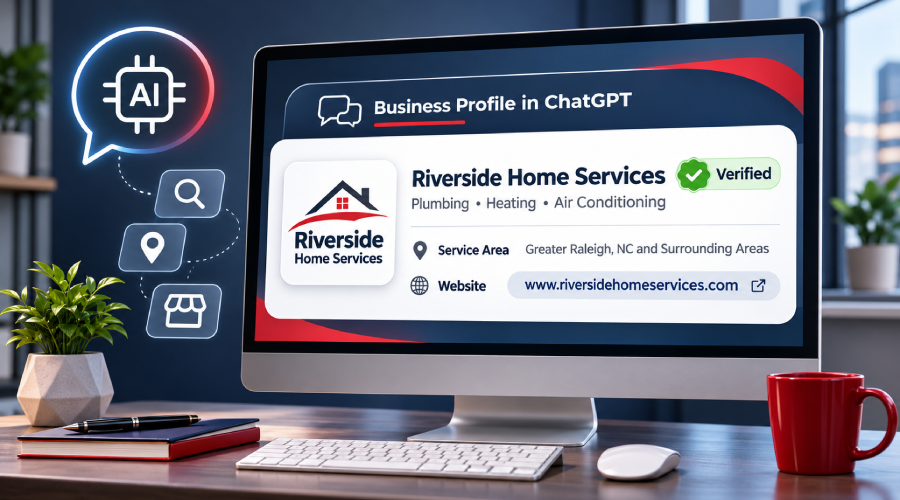
ChatGPT Business Hub lets eligible businesses claim a profile, verify their connection to the company, update key details, and access insights about how customers interact with their business in ChatGPT.
After completing the required verification, businesses can manage supported information, including their website, description, logo, and business categories.
Business Hub is separate from ChatGPT advertising and business agents. Claiming a profile does not require an ads account or a ChatGPT Enterprise agreement.
Business agents are another feature that allows eligible companies to create an agent that answers customer questions. Access to Business Hub does not automatically make a company eligible for one.
Who Can Claim a Business on ChatGPT?
Business Hub is available to eligible owners and authorized representatives, but claiming options depend on the business type and location.
Local stores and restaurants can currently claim existing U.S. listings. Certain eligible online businesses may also have an option to add a profile.
For plumbers, roofers, electricians, and HVAC contractors, this means eligibility should be checked before assuming a new listing can be created.
What If Your Business Is Not Listed?
Sign in to your ChatGPT account and open Business Hub from the sidebar. Search using your business name and select a matching listing if one appears.
If your company is missing, check whether an option to add it is available. Otherwise, review the current eligibility guidance rather than assuming every business can create a profile.
Meanwhile, keep your website, service areas, and contact information accurate.
How Does Business Verification Work?
An owner or authorized representative can begin the claim process using the verification options shown for their business.
These may include:
- Business email: Enter a code sent to an approved business email address.
- Business phone: Receive a verification code through a text message or automated call.
- Website domain: Add a TXT record to your domain's DNS settings, then select Verify domain.
- Shopify: Connect an eligible store through the supported process.
OpenAI reviews the claim and may request additional information.
After claim approval, the representative must complete identity verification through Persona before publishing changes or viewing insights. This may require a government-issued ID, business registration information, or proof of authorization.
Make sure your business name, address, and any requested registration or tax number match official business records.
If another person has claimed the same business, an authorized representative may use the Dispute ownership option.
Can Marketing Teams or Agencies Manage a Profile?
Yes. An approved administrator can invite teammates or grant agency access where supported. Each person should use their own ChatGPT account rather than sharing credentials or forwarding a personal claim invitation.
Businesses managing several locations should also know that claiming a parent brand does not automatically claim every location.
What Insights Can a Verified Business See?
After completing verification, eligible businesses can access Business Hub insights covering the previous 28 days.
Available information includes:
- Mentions: How often ChatGPT displays or references a business under the applicable reporting rules.
- Website clicks: How often people follow a link to the business's website.
- Discovery topics: General themes associated with answers mentioning or citing the business.
These metrics provide a view of AI visibility, but they do not directly measure qualified leads, appointments, or revenue.
What Is the Difference Between Mentions and Clicks?
For a local business, a mention can count when ChatGPT displays its location in a result, even without a click.
A website click means someone followed a link to the company's site.
For example, a roofing contractor might receive several mentions but few website visits. That doesn't necessarily mean the company gained new customers.
Compare Business Hub insights with website analytics, phone calls, and actual service inquiries.
Can Businesses See Customer Conversations?
No. Business Hub does not provide individual customer prompts or private conversations, including business agent chats.
Insights are aggregated, and some metrics may remain blank because reporting thresholds have not been met or data is unavailable.
Does Claiming a Business Improve ChatGPT Visibility?
Claiming a profile does not guarantee higher placement or more recommendations.
Verification allows eligible businesses to manage supported information, but it does not directly control ChatGPT's independent answers.
ChatGPT may also use other sources when describing a business. Updating a profile therefore doesn't guarantee that every answer will immediately reflect the changes.
For home service companies, maintaining accurate business information remains valuable. That includes consistent service areas, contact details, and service descriptions across the company website and other public sources, such as Google Business Profile.
These practices help reduce information inconsistencies without promising improved AI search rankings.
What Should Home Service Businesses Check First?
- Check eligibility. Search for your company in Business Hub and see whether an eligible listing or claiming option is available for your business type and location.
- Choose an authorized representative. Have the owner or an approved representative complete the claim and any required identity verification.
- Check your business details. Compare the profile with your website, including services, locations, and contact information. Submit corrections through the available controls and allow time for OpenAI's review.
- Connect visibility with business results. After the required approvals, review available insights alongside website visits, calls, and service inquiries. Mentions and clicks alone do not show how many customers booked.
What Might This Look Like for a Roofing Company?
Consider a roofing contractor that recently expanded into neighboring communities.
Its website lists the new service areas, but a ChatGPT-generated description still references its previous coverage.
The company can review its website and other public business information for outdated details. If eligible, it can also claim its Business Hub profile and update the supported information.
Afterward, the contractor can monitor available insights and customer inquiries.
This is a hypothetical example, not a guaranteed outcome. Correcting business information does not ensure that ChatGPT will recommend the company more frequently.
Keep Your Business Information Consistent Across Search
As homeowners use different tools to find local services, accurate business information becomes increasingly important.
We help home service businesses review how their services, locations, and contact information appear across their websites and emerging AI search experiences.
Our team can identify information gaps, recommend updates, and help interpret available visibility data without promising rankings or recommendations.
Talk to our team about your business information in AI search. Share your website and concern through our contact form. We'll confirm the scope and information needed before reviewing your business's online presence.
Frequently Asked Questions
No. Business claiming and advertising are separate. An eligible business does not need an ads account to complete the claim process.
Possibly. Some eligible online businesses can add profiles, but local-business claiming options remain limited by business type and location.
No. A verified badge indicates approved identity verification, not preferred placement in ChatGPT answers.
Eligible businesses selling products can connect supported product feeds. This feature is separate from claiming a profile and is generally less relevant to service-only contractors.
Review the instructions sent by OpenAI, correct any mismatched business documents or information, and retry if the option is available. If the issue remains unresolved, contact OpenAI Support.
Ready to Grow Your Business?
Contact us to work with a result-driven digital marketing agency. Are you ready to take your business and online marketing to the next level.
Get Your Free Marketing Plan →