


The Best Form Fill Is One Your Team Can Use
Your Google Ads campaign can generate more form submissions while leaving your sales team with fewer useful conversations. Some prospects request services you do not offer, others are researching for next year, and several cannot be reached. A lower cost per submission offers little value when those inquiries rarely become customers.
Better leads start with a shared definition of fit and questions that reveal it. Google’s qualifying responses feature helps eligible Search advertisers identify submissions matching selected answers, while sales still needs to validate each prospect. At Activate Digital Media, our Google Ads management approach connects advertising activity with business outcomes; this guide explains how to choose questions, apply the available controls, and measure results after submission.
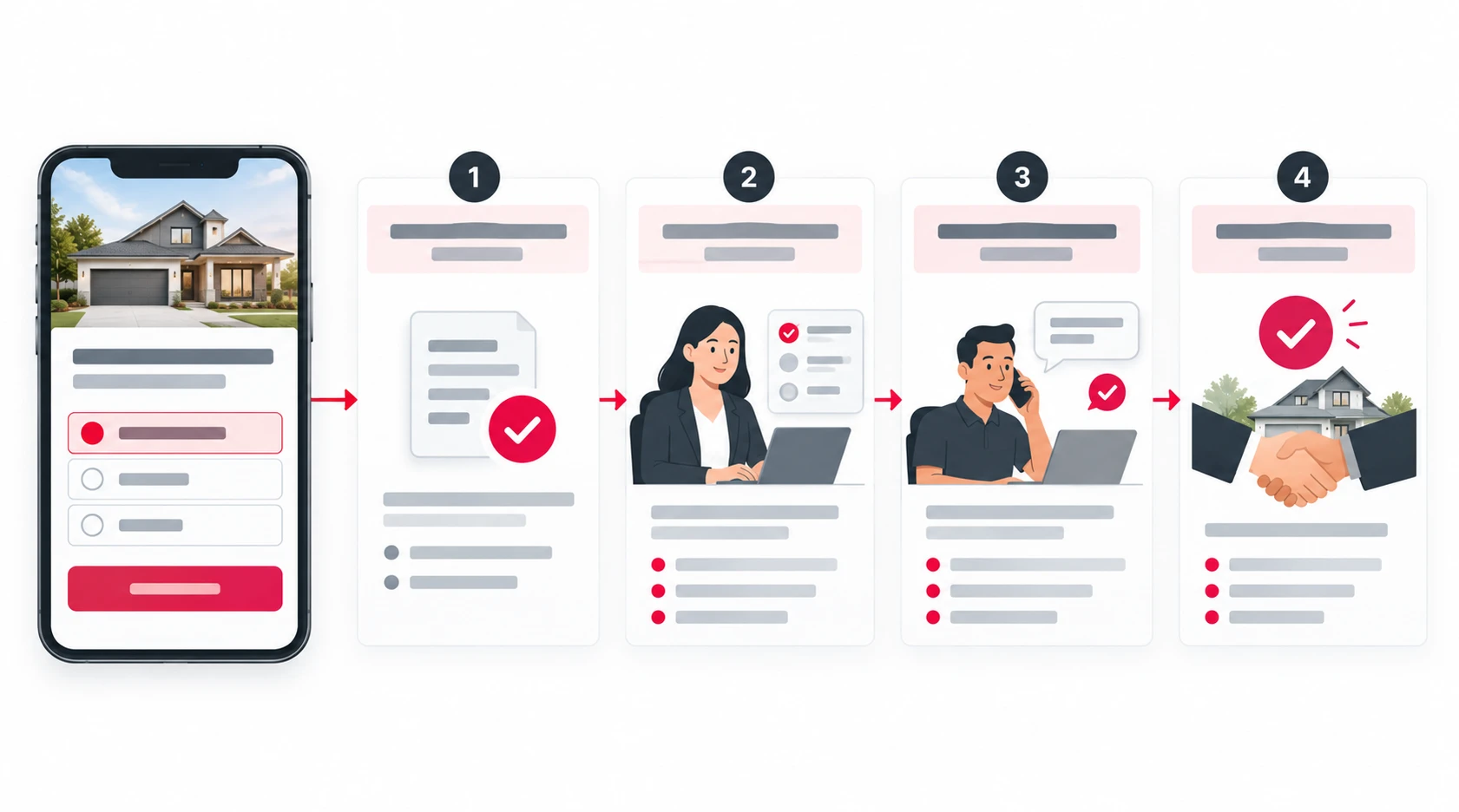
How Qualifying Answers Work in Google Lead Forms
Google’s lead form assets, previously called lead form extensions, let people submit contact information directly from an ad experience. They can be used in eligible Search and Performance Max campaigns.
The qualifying responses feature is currently documented for Search campaigns only. You choose a multiple-choice question and designate one or more answers as qualifying responses.
When a submission matches, Google tags it as a qualified lead. A Lead stage is included in CSV, webhook, and API outputs, and the conversion action “Lead form - Response qualified (Google-hosted)” is added under the Qualified lead goal when the qualifying question runs in an active campaign.
The qualifying question is required once you use it. The feature itself is not mandatory for every Google lead form.
Treat the resulting tag as a screening signal. It establishes that a person selected an answer you marked as valuable; it does not establish that your sales team has confirmed their needs or won their business.
Define Better Leads Before Choosing Questions
Agree on Fit, Intent, and Readiness
Ask marketing and sales to define the differences between an inquiry worth pursuing, a prospect needing more information, and a poor fit.
A local contractor might prioritize an offered service, a property inside its service area, and a realistic project timeframe. A B2B company might also need to understand the prospect’s use case or purchasing role.
Review actual customers and unsuccessful inquiries. Identify the patterns associated with profitable work, then choose a small number of criteria the form can reasonably capture.
Keep Response Qualification Separate From Sales Qualification
Use distinct stages in your lead management process:
| Stage | What It Establishes |
|---|---|
| Form submission | Someone provided information and expressed interest |
| Response-qualified lead | Their selected answer matched the form’s qualifying rule |
| Sales-validated lead | Your team confirmed the agreed business criteria |
| Customer | The prospect completed the purchase or became a paying client |
Document these definitions in your CRM and reports. If everyone uses “qualified lead” differently, the campaign dashboard and sales forecast will tell different stories.
A prospect researching a future project may still have value. Route them appropriately rather than treating every person who is not ready today as an invalid lead.
Build a Form That Collects Useful Answers
Ask Questions That Change the Next Step
Every question should help your team decide who should respond, what they should discuss, or whether the inquiry fits the offer.
These examples illustrate the planning process; use questions supported in your account or suggest a custom question for Google’s review.
| Business Need | Example Question | How the Answer Helps |
|---|---|---|
| Service fit | “Which service are you interested in?” | Routes the inquiry to the right team |
| Project timing | “When are you planning to get started?” | Separates immediate requests from future research |
| B2B use case | “What are you looking to accomplish?” | Gives the salesperson context for the first conversation |
Choose answers your audience can understand without specialist knowledge. Avoid options that overlap or force someone to guess.
For example, a contractor offering installation and repair should not mark both answers as equally valuable if the campaign specifically promotes installation. The qualification rule should reflect the campaign’s purpose.
Collect Enough Information Without Creating Busywork
Start with the contact details needed for follow-up and the questions most relevant to qualification. Ask whether each additional field changes a decision.
Removing unnecessary fields can make completion easier, but collecting less information can also leave your team with more unanswered questions. Conversely, adding steps may discourage suitable prospects as well as casual browsers.
Test the balance using downstream outcomes. A shorter form that generates more submissions is useful only if the additional contacts justify the cost and follow-up effort.
Set Expectations Before Someone Submits
Use the business name, headline, description, and submission message to explain the offer and what happens next.
If the form requests an estimate, say whether someone will call to discuss the project. If it offers a guide, do not present the download as though the person has requested a sales consultation.
Google’s lead form best practices emphasize clear creative, relevant questions, and an appropriate call to action. Match the form to the ad so interested prospects understand what they are requesting.
Set Up Qualifying Responses in Your Google Ads Account
Use Google’s lead form creation instructions and check the controls available in your account:
- Open the lead form editor for an eligible Search campaign.
- Enter or review the business information, offer, and contact fields.
- Add a supported multiple-choice question or suggest a custom question.
- Designate the answers that match your qualification criteria.
- Add the required privacy policy link and a clear submission message.
- Configure lead delivery, save the form, and check its review status.
Before increasing spend, test the complete journey. Confirm that your CRM receives the contact details, answers, and qualification information your team needs.
Some form changes require review. Plan updates around campaign continuity, and verify the live configuration after approval.
Understand the More Qualified Setting and Phone Verification
More Qualified Changes the Form Experience
Google distinguishes More volume from More qualified in its lead form optimization settings.
More volume uses fewer submission steps. More qualified adds steps and may produce fewer leads with greater interest. Google says these options do not change the form fields or add or remove audiences.
This setting is separate from designating qualifying answers. It also does not replace search targeting, a relevant offer, or sales validation.
Evaluate it when your team needs stronger intent signals, then check whether any reduction in submissions improves cost per sales-validated lead or customer.
Phone Verification Checks Contactability
Google’s phone number verification adds an SMS one-time password step and is currently supported for Search campaigns. When enabled, a person must successfully verify the number before the lead is submitted.
This can help reduce invalid numbers and automated spam. It may also affect lead volume and cost per lead.
A verified number does not confirm service-area fit, purchasing authority, budget, or readiness to buy. Use verification to address contact-data problems, and qualifying questions to gather information about the prospect’s needs.
Connect Lead Forms to Follow-Up and Sales Results
Give Each Submission an Owner
A useful answer has little value if it stays in an export nobody checks. Route leads to the responsible team and set a realistic response standard.
Google supports CRM delivery through webhooks, the Google Ads API, and supported integrations. Test the field mapping, notifications, and assignment rules before relying on the connection.
Use the answers in the first conversation. A prospect who selected a specific service should not need to explain that choice again because the salesperson received only a name and phone number.
Record What Sales Learns
Keep a consistent record of contact attempts, confirmed fit, appointments, sales, and reasons an inquiry did not progress.
Useful reasons might include an unavailable service, an unsupported location, a duplicate request, or a future project. Distinguish these from a genuine prospect your team has not reached yet.
ADM’s call and form tracking services help connect inquiries with marketing activity. Your CRM should add the later outcomes that a form response cannot confirm.
Review Conversion Goals Before Changing Bidding
The response-qualified conversion action gives you another measurement signal. Its creation does not, by itself, establish that your campaign is optimizing toward the customer outcome you want.
Review campaign goals and primary and secondary conversion actions. Primary actions generally support bidding when their goal is used; custom goals have additional behavior that needs checking.
Keep submissions, response-qualified leads, sales validation, and completed sales distinguishable. Do not add those stages together and report them as separate customers.
Measure Better Leads Through to the Customer
Use a small set of clearly defined metrics:
- Cost per sales-validated lead: Ad spend divided by leads your team confirmed meet the agreed criteria.
- Lead-to-customer rate: New customers divided by unique leads from the same sufficiently mature group.
- Ad spend per acquired customer: Ad spend divided by acquired customers. Full customer acquisition cost also includes other relevant sales and marketing costs.
Suppose a campaign produces 100 inquiries and 10 customers one month, then 70 inquiries and 14 customers in a comparable period with equal spend. The second period produces fewer submissions but a better customer result.
That hypothetical comparison does not prove qualifying questions caused the improvement. Keep other major changes stable where possible, allow sales outcomes to mature, and examine whether the answers actually predict successful conversations.
If a supposedly qualifying answer frequently leads to poor-fit inquiries, revise the rule. If valuable customers regularly choose a different answer, revisit the question before filtering them out of your follow-up priorities.
Make Every Qualifying Question Earn Its Place
Better leads come from a lead generation process that connects the offer, form answers, sales follow-up, and customer outcomes.
Use Google’s qualifying responses to organize inquiries, then validate their usefulness against what happens after submission. The goal is a form that helps your team identify and serve the right prospects efficiently.
Frequently Asked Questions
That is not a universal rule for every lead form asset. Google’s eligibility policy sets additional spend and verification requirements for certain formats, including Search ads whose headlines open directly to a form. Check the requirements for the format and account you intend to use.
Google’s lead form overview states that manual CSV downloads cover the previous 30 days, while API export can access up to 60 days. Set up regular retrieval or CRM delivery rather than using Google Ads as permanent lead storage.
Google documents one lead form per campaign. If different offers need different questions or follow-up processes, consider whether separate campaigns are justified by your goals and budget.
They provide another lead capture option. A landing page may still be useful when prospects need service details, pricing context, evidence, or a more involved qualification process before making an inquiry.
Google notes that a lead may be delivered more than once and recommends using lead_id to deduplicate deliveries. Review repeated inquiries from the same person separately so they do not inflate unique-lead or customer counts.
Build a Lead Process Your Sales Team Can Use
Activate Digital Media can help you pursue better leads by connecting Google lead forms, qualification criteria, conversion tracking, and follow-up.
Talk to our team to review how your campaigns capture inquiries, and how your business measures the customers that follow.
Ready to Grow Your Business?
Contact us to work with a result-driven digital marketing agency. Are you ready to take your business and online marketing to the next level.
Get Your Free Marketing Plan →